
CFI renewal in IACRA
How to complete the IACRA application that establishes your flight instructor recent experience under 14 CFR 61.197, what most instructors still call CFI renewal.
First, what changed in December 2024
Under the FAA rule that took effect on December 1, 2024, flight instructor certificates no longer expire. Instead, you may exercise flight instructor privileges only if you have established recent experience within the preceding 24 calendar months under 14 CFR 61.197. What most instructors still call a “CFI renewal” is now an application to establish that recent experience.
- Your certificate shows no expiration date. IACRA lists a Recent Experience End Date for your flight instructor certificate instead. That is the date to watch.
- Your certificate was issued before December 1, 2024 and still shows an expiration date: you renew it the same way, by establishing recent experience before the month it expires.
- Timing. If you complete a requirement within the 3 calendar months before the last month of your current period, your new 24 months start from the end of the current period, so you lose no time.
See the CFI renewal service page for each recent experience method and what to do if your recent experience has lapsed.
Before you start
- Have an IACRA account. Register as an Applicant at iacra.faa.gov. Your FAA Tracking Number (FTN) is shown at the top left of your console. New to IACRA? See getting started in IACRA.
- Know which method you are using and have its documentation ready: a FIRC graduation certificate, a record of the applicants you endorsed and their results, your evaluator position, or your WINGS activity record.
- No medical certificate and no flight time are needed for this application.
Step 1: Check your recent experience end date
Log in as an Applicant. Under Airman Information on your console, the Recent Experience End Date column shows when your current period ends for your flight instructor certificate.
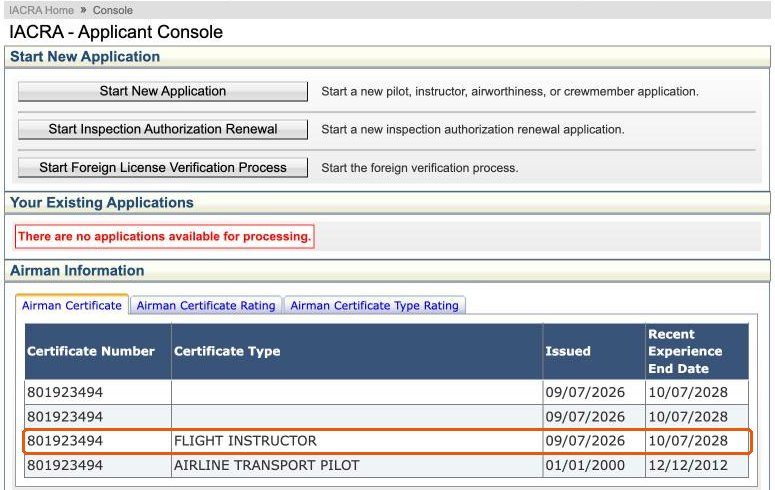
Click Start New Application.
Step 2: Choose the path for your method
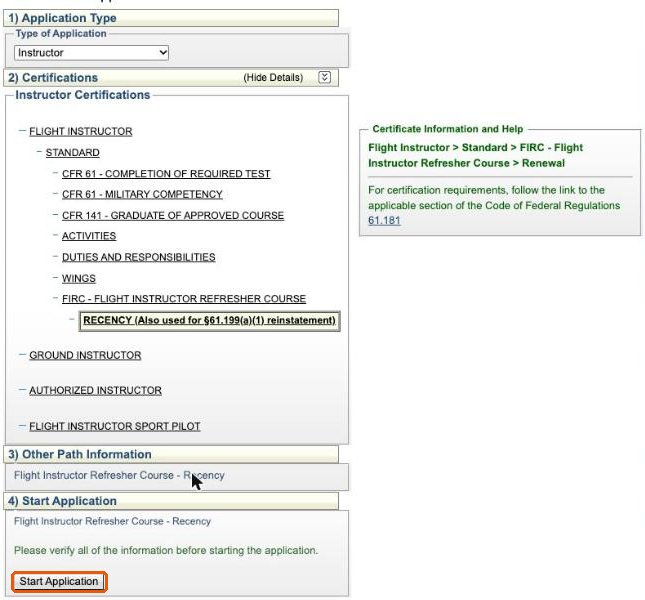
Choose Instructor as the application type, then click Flight Instructor.
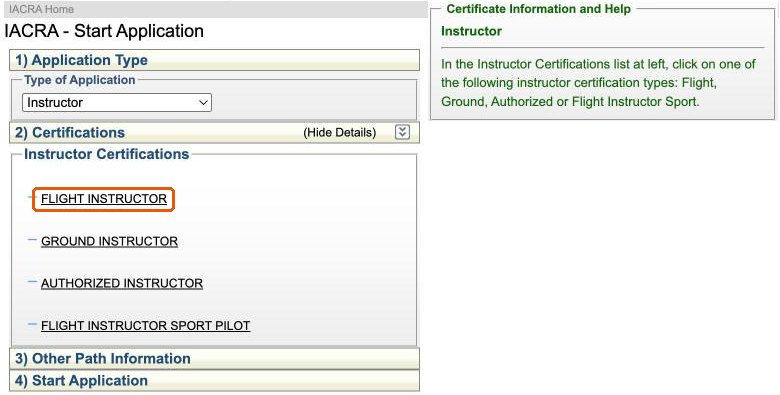
Click Standard. Pick the path that matches how you established recent experience:
- Activities: your student pass rate. You endorsed at least 5 applicants for a practical test in the preceding 24 calendar months, and at least 80 percent passed on the first attempt.
- Duties and Responsibilities: an evaluator position, such as company check pilot, chief flight instructor, check airman, or flight instructor in a Part 121 or 135 operation.
- WINGS: your activity as a flight instructor in the FAA WINGS program.
- FIRC - Flight Instructor Refresher Course: an approved refresher course completed within the preceding 3 calendar months.
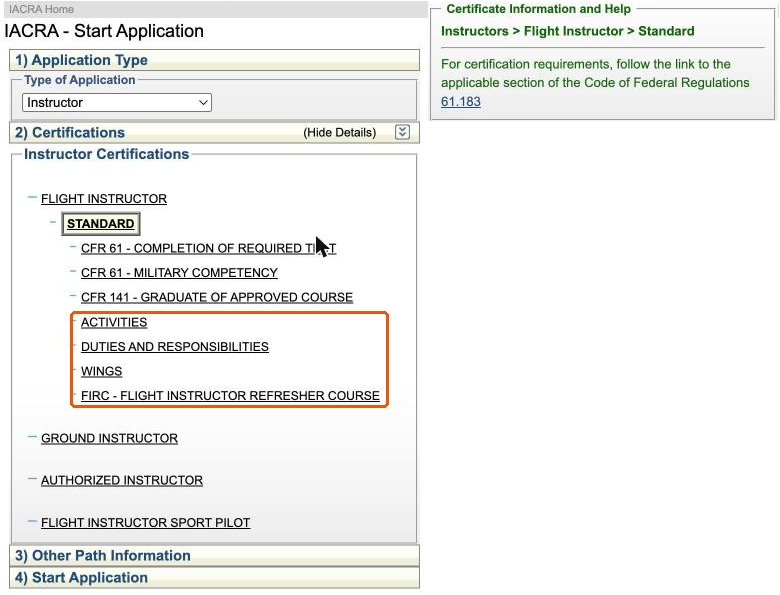
The other paths under Standard, such as Completion of Required Test, are for a practical test or a new certificate, not this administrative application. If you are using a military instructor pilot or pilot examiner proficiency check, ask your examiner which path to use.
This guide follows the FIRC path. Click FIRC - Flight Instructor Refresher Course, then Recency. The same Recency path is also used to reinstate privileges under 14 CFR 61.199(a)(1) with a FIRC, when your recent experience lapsed 3 calendar months ago or less.
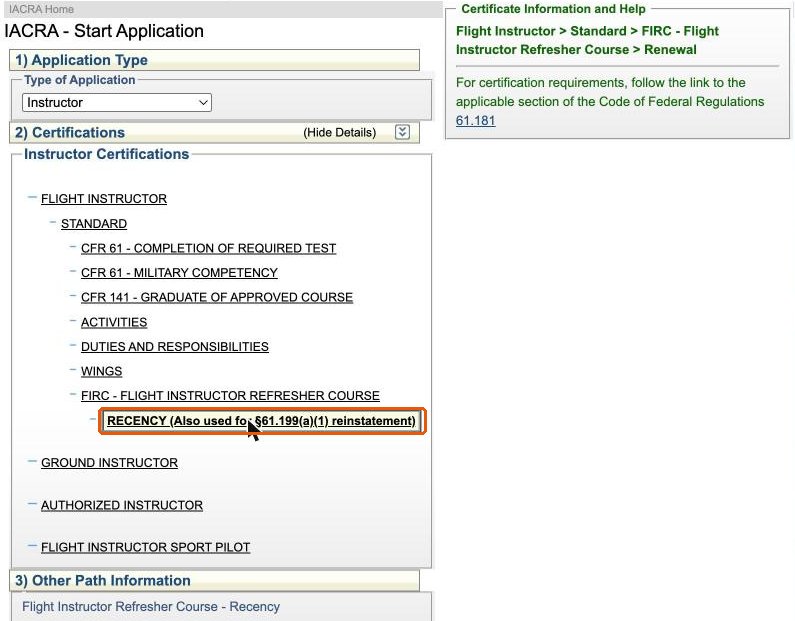
Check the path shown under Start Application, then click Start Application.
Step 3: Personal information
The Applying For line confirms your path. Check your personal information, height, weight, hair and eye color, contact details and address, then click Save.
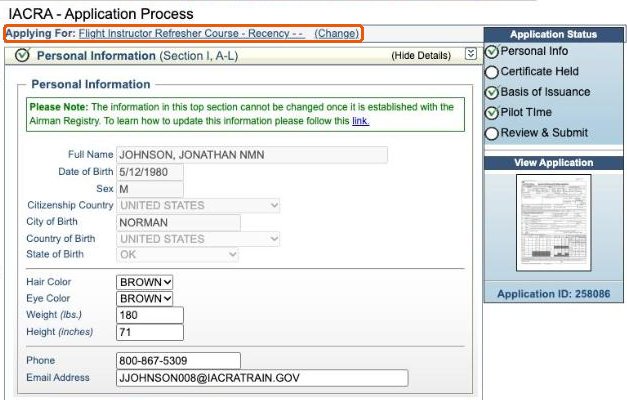
Check your mailing address. If you want your certificate mailed somewhere other than your residential address, use Add Mailing Address at the bottom of this section.
Step 4: Certificate held
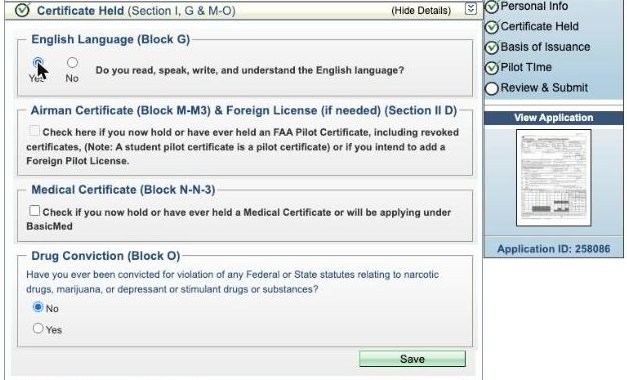
Answer the English language and drug conviction questions. IACRA already has your pilot and flight instructor certificates, so the airman certificate box is greyed out. Leave the medical certificate box unchecked: no medical is needed. Click Save.
Step 5: Basis of issuance and pilot time
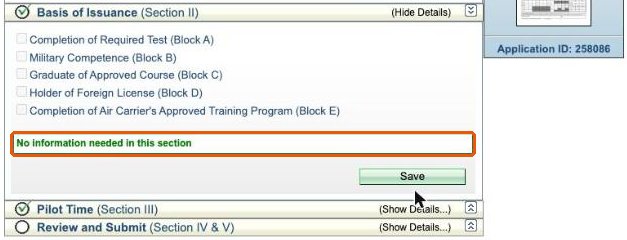
The Basis of Issuance section reads No information needed in this section. Click Save. Pilot Time is also already marked complete. Nothing is entered in either one.
Step 6: Review your application
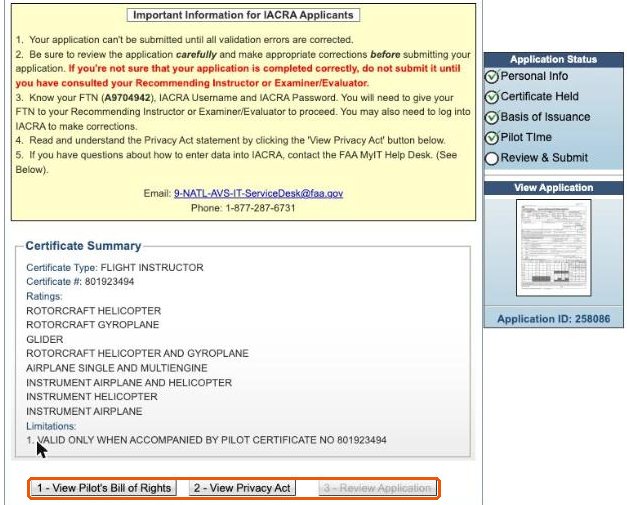
Open Review and Submit and answer the Notice of Disapproval question. Check the Certificate Summary: it lists your flight instructor certificate number and ratings. The buttons at the bottom unlock in order. Click 1 - View Pilot’s Bill of Rights, then 2 - View Privacy Act, then 3 - Review Application.
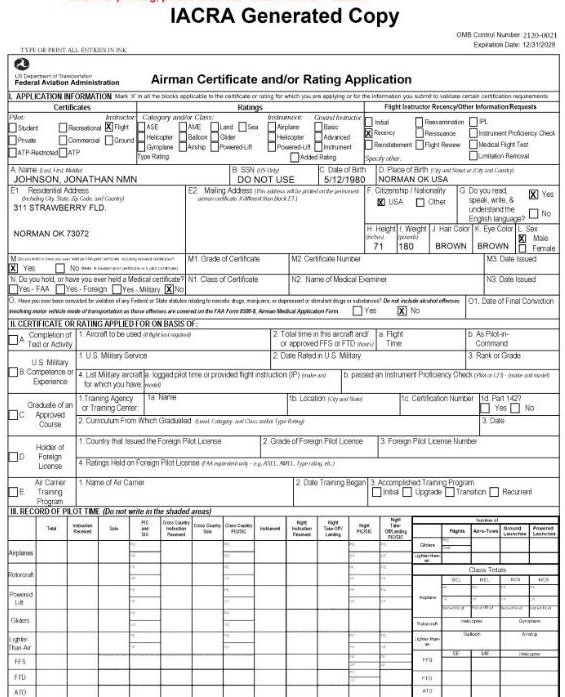
The generated FAA Form 8710-1 has Flight Instructor and Recency marked in Section I. Section II, the basis of issuance, and Section III, the record of pilot time, are left blank.
Step 7: Sign and submit
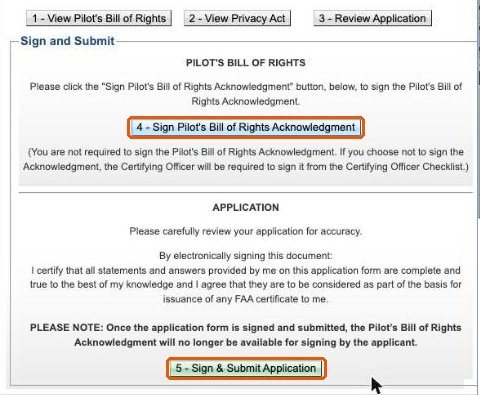
Two more buttons appear under Sign and Submit:
- 4 - Sign Pilot’s Bill of Rights Acknowledgment is optional. If you do not sign it here, your examiner signs it from their checklist. You cannot sign it after you submit.
- 5 - Sign & Submit Application signs the 8710-1 with your password and submits it.
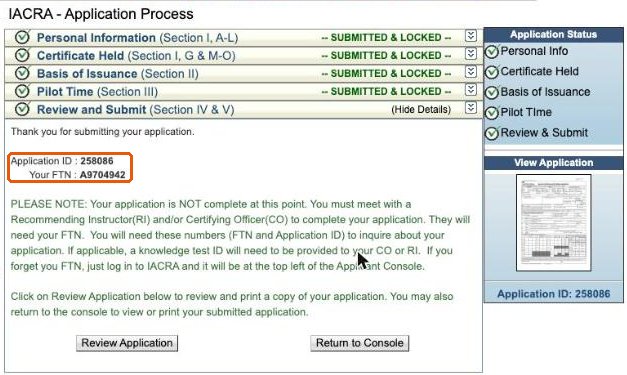
The confirmation shows your Application ID and FTN. Send both to your examiner.
Step 8: What happens next
Your console lists the application as Partially Complete - Ready for Next Action. The examiner retrieves it with your FTN, reviews your recent experience documentation and your identification, and completes the application. Because you signed when you submitted, there is nothing more for you to sign.
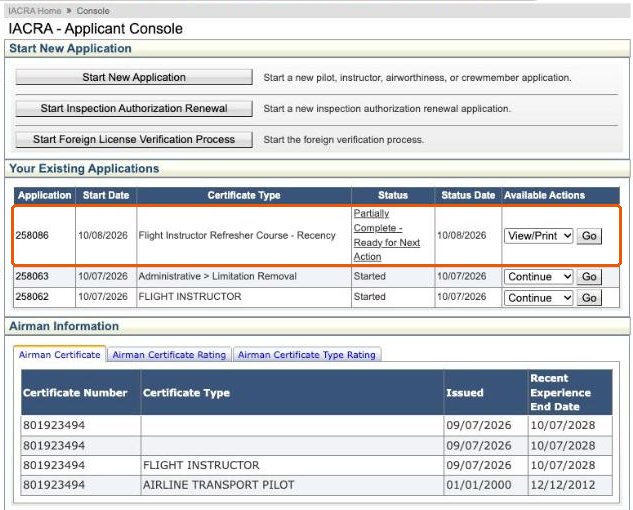
You receive a temporary certificate with your new recent experience end date. The permanent certificate is mailed by the FAA.
Working with ATACS
ATACS processes CFI renewals remotely, nationwide. Send a request with the recent experience method you are using. The examiner reviews your documentation first and confirms the IACRA path before you build the application.