Part 107 in IACRA: non-pilots
How to complete FAA Form 8710-13 in IACRA after passing the UAG knowledge test, when you do not hold a pilot certificate.
Who this guide is for
You do not hold a pilot certificate, or you hold only a student pilot certificate. You apply on the basis of the FAA initial aeronautical knowledge test, Unmanned Aircraft General – Small (UAG). If you hold a Part 61 pilot certificate with a current flight review, use the guide for certificated pilots instead.
Before you start
- Pass the UAG knowledge test at an FAA-approved testing center and keep your knowledge test report. You will need the Exam ID printed on it.
- Register in IACRA as an Applicant at iacra.faa.gov.
- Use your full legal name, exactly as it appears on your knowledge test report and your photo identification, including any middle name and suffix.
Step 1: Start a new application
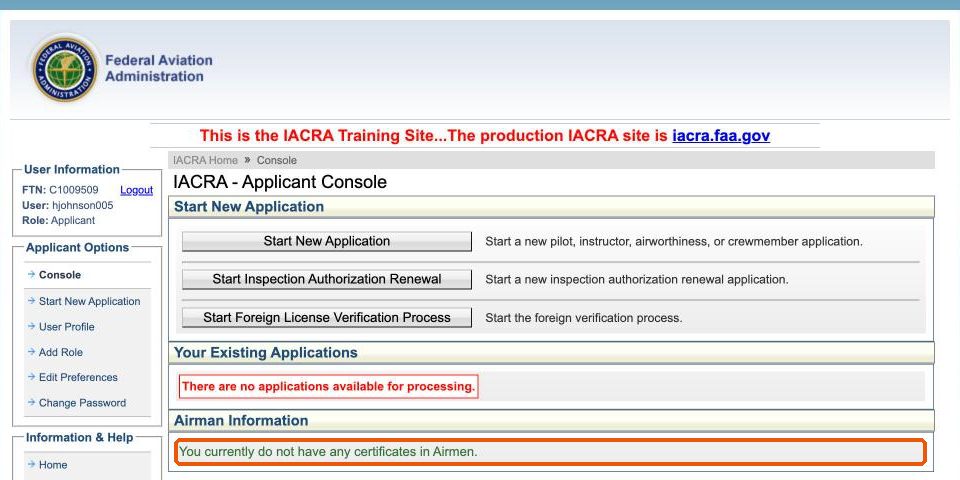
On your console, Airman Information says you do not have any certificates. Click Start New Application.
Step 2: Complete your user profile
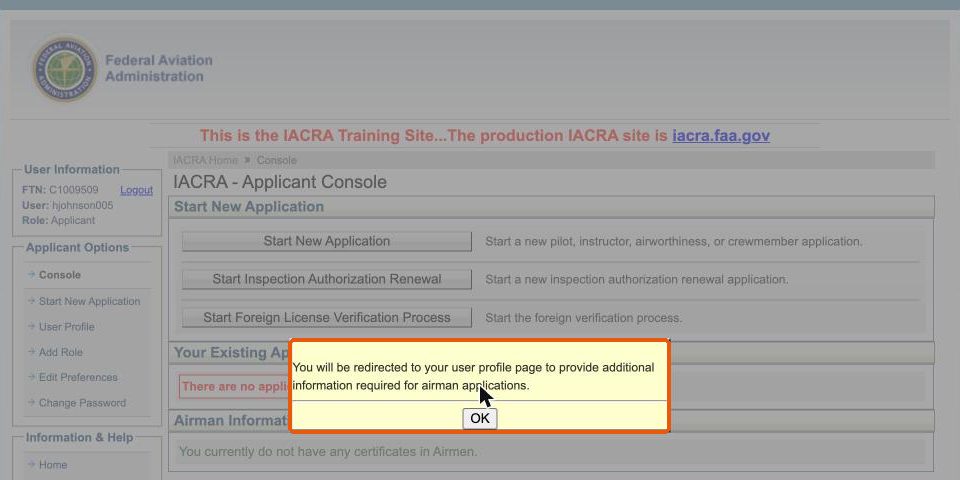
The first time you start an application, IACRA tells you it will redirect you to your user profile to add the information needed for airman applications. Click OK.
Leave the Certificate Information section blank; it is only for applicants who already hold an FAA certificate. Check your name carefully.
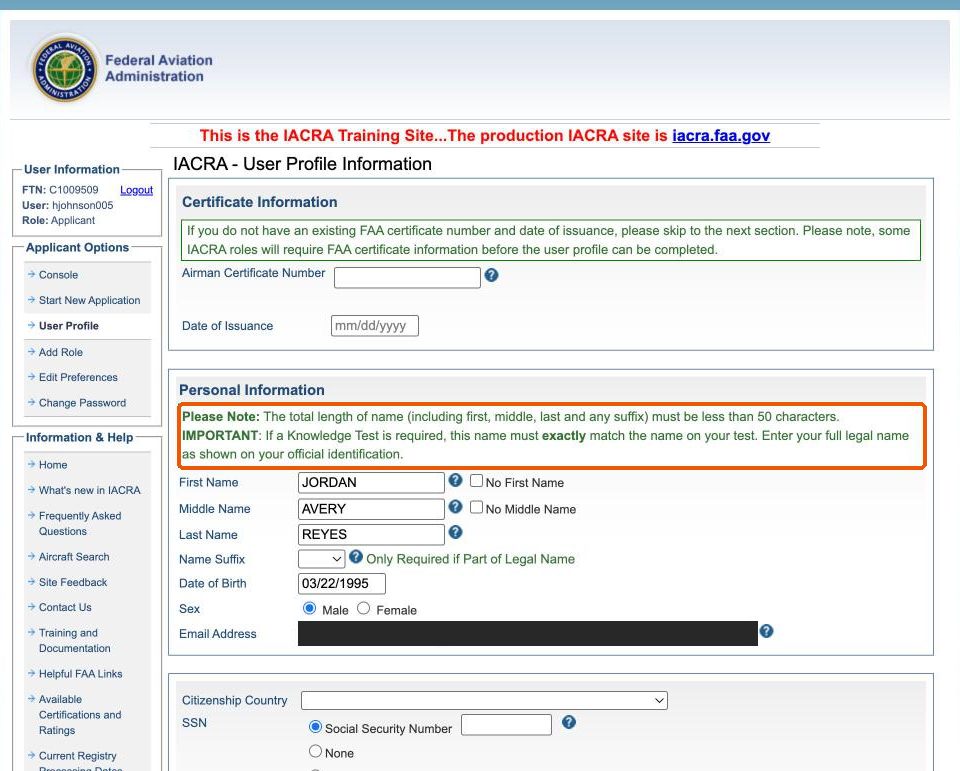
Name mismatch is the most common problem. A missing middle name, a middle initial instead of the full name, or a missing suffix can stop IACRA from matching your knowledge test, or get the application returned by the Airmen Certification Branch.
Complete citizenship, place of birth, physical description, phone and residential address. For SSN, select Do Not Use.
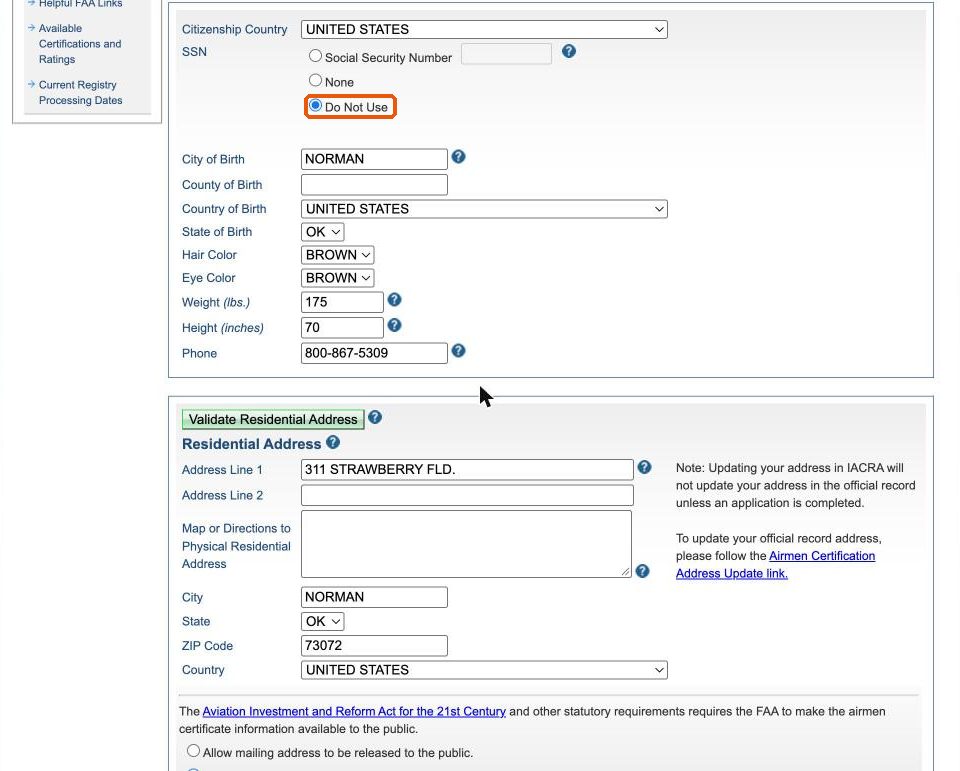
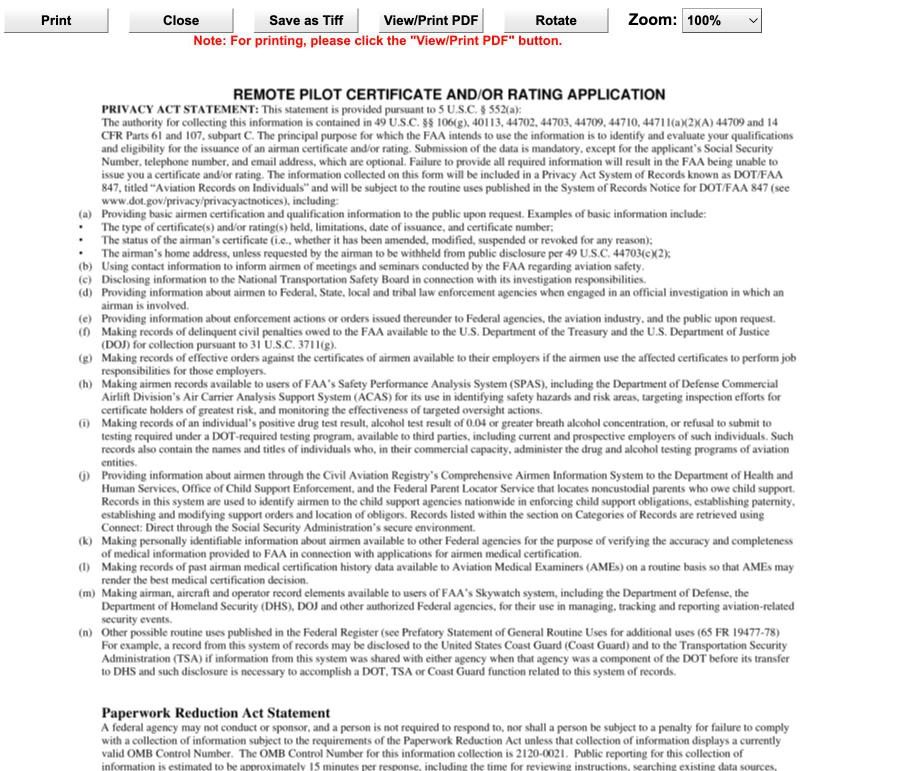
Select Do Not Use for your Social Security number. The FAA’s Privacy Act statement for this form lists the SSN as optional. Choosing Do Not Use keeps it off your application.
If Validate Residential Address reports that validation is unavailable, you can continue without it. Click Save.
Step 3: Choose Remote Pilot – Initial
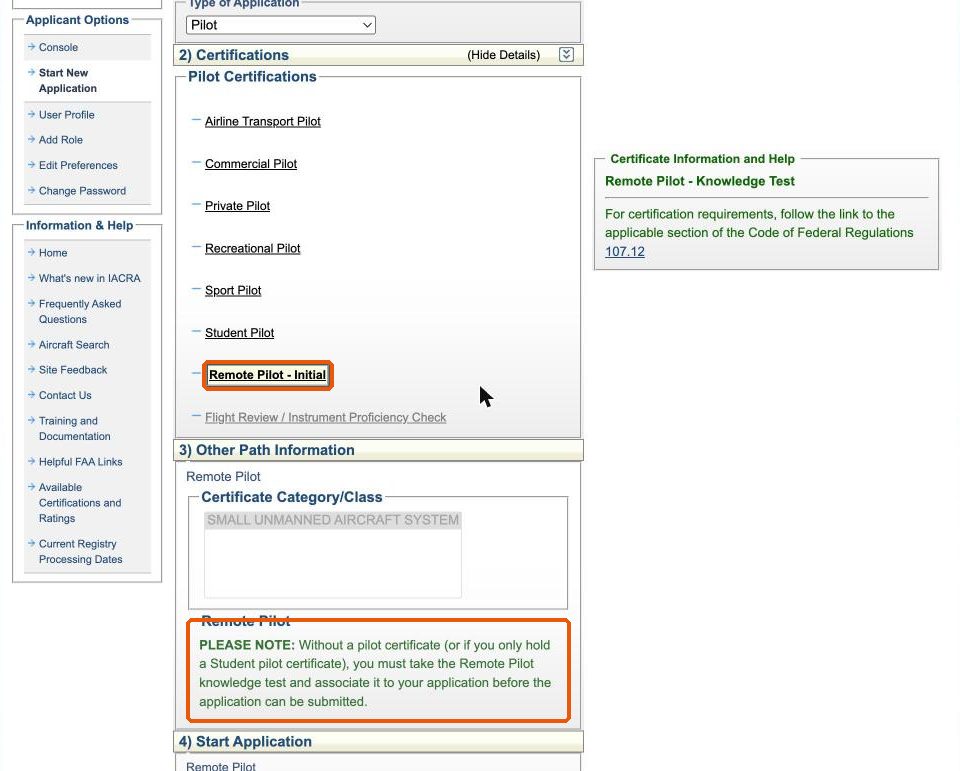
Click Start New Application again. Choose Pilot, then Remote Pilot – Initial. Because you have no pilot certificate on file, IACRA tells you that you must take the knowledge test and associate it with your application before it can be submitted. Click Start Application.
Step 4: Personal information and supplementary data
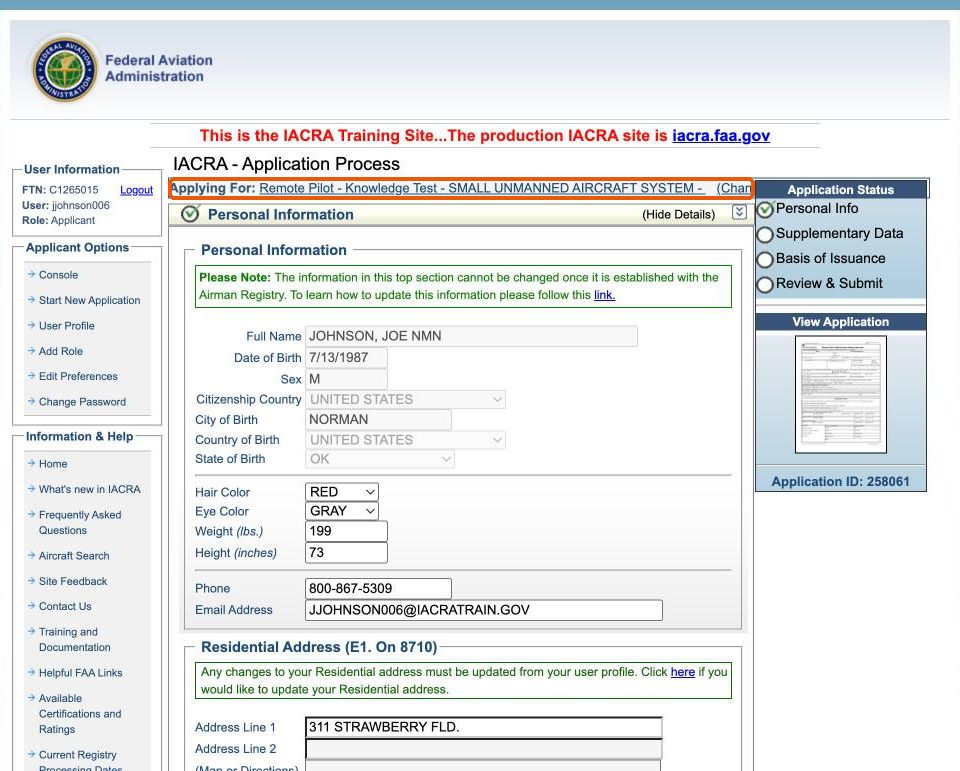
The header shows Remote Pilot – Knowledge Test – Small Unmanned Aircraft System. Personal Information comes from your profile. Check it and click Save. In Supplementary Data, answer the English language and drug conviction questions and click Save.
Step 5: Identification and knowledge test
Basis of Issuance has Completion of Knowledge Test (A) selected and two parts to complete:
- Airman Identification. Enter the form of identification, its number, expiration date and issuing state.
- Knowledge Test. Enter the Exam ID from your knowledge test report, click Search, then click Associate Test when your test appears.
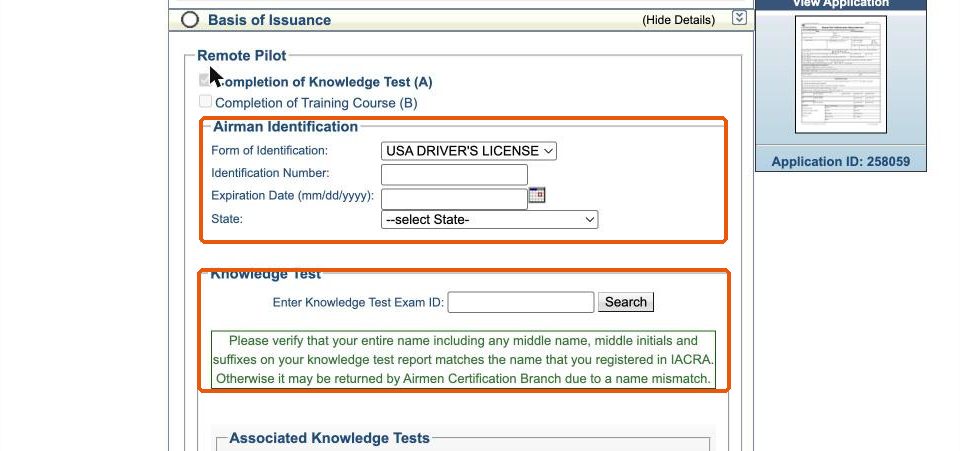
Click Save at the bottom of the section. Entering your identification without saving leaves the section incomplete.
If IACRA cannot find your Exam ID
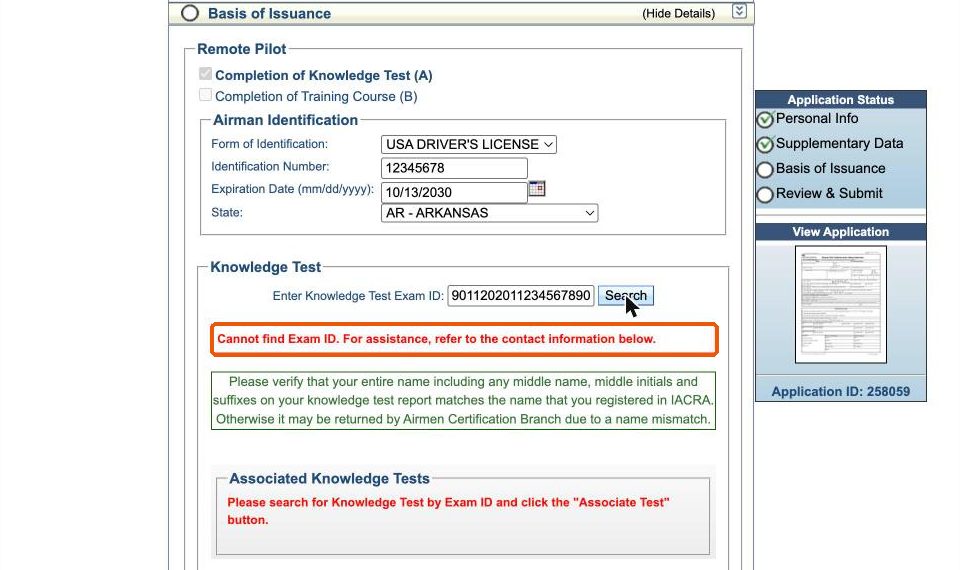
- Check the Exam ID against your knowledge test report.
- Check that the name in your IACRA profile matches the report exactly.
- For help locating the test, IACRA refers you to the National AVS IT Service Desk, 1-877-287-6731.
- If a name mismatch prevents IACRA from accepting your test, a paper FAA Form 8710-13 processed in person with the examiner is the way forward.
Step 6: Review and submit
In Review and Submit, answer the denied certificate and medical condition questions. Until your knowledge test is associated and your identification is saved, IACRA lists them under Validation Errors and the review button stays unavailable.
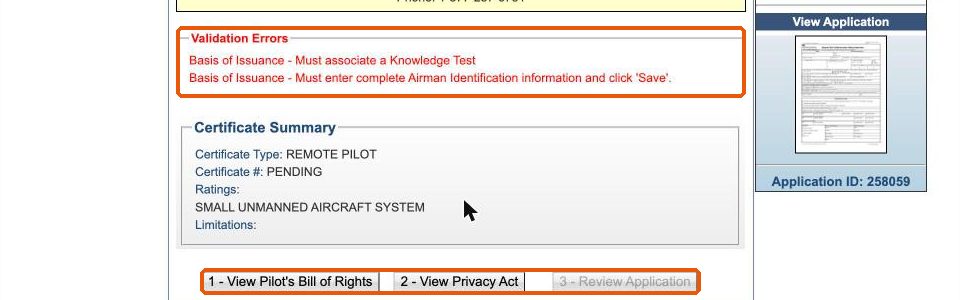
Once the errors are cleared, work through the buttons in order: View Pilot’s Bill of Rights, View Privacy Act, Review Application, then submit. On the review, check that basis A, Completion of Knowledge Test, is marked and that your name matches your test report.
After you submit
The FAA runs a TSA security background check before issuing the certificate. IACRA applicants are emailed when a temporary certificate is available, and the permanent certificate is mailed.
When to meet with ATACS
You can submit on your own, but meeting with the examiner in person is an option. It is also the way forward if a name mismatch on your knowledge test report prevents IACRA from accepting your application. Bring government-issued photo identification and your knowledge test report.