Part 107 in IACRA: certificated pilots
How to complete FAA Form 8710-13 in IACRA when you already hold a pilot certificate and a current flight review.
Who this guide is for
You hold a pilot certificate issued under 14 CFR Part 61, other than a student pilot certificate, and you have completed a flight review under 14 CFR 61.56 within the preceding 24 calendar months. On this path you do not take a knowledge test. If you do not hold a pilot certificate, use the guide for non-pilots.
Before you start
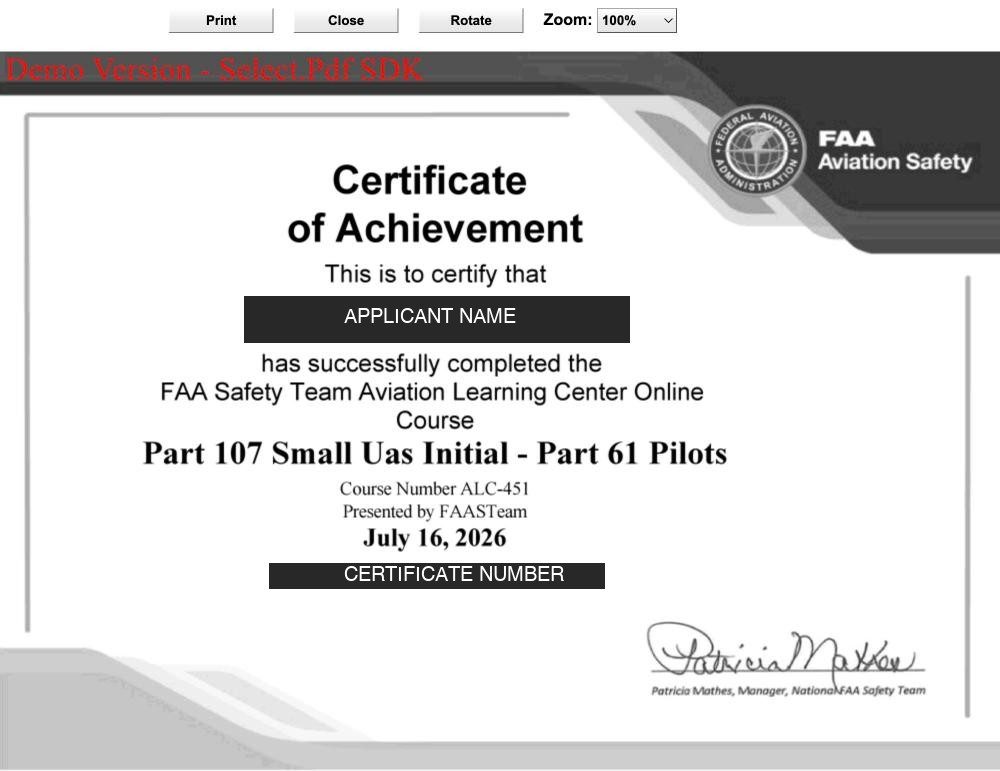
- Complete the training course. Take the FAA’s free online course Part 107 Small UAS Initial – Part 61 Pilots (ALC-451) on FAASafety.gov and download the completion certificate as a PDF or image.
- Have an IACRA account. Register as an Applicant at iacra.faa.gov if you do not have one. Your FAA Tracking Number (FTN) is shown at the top left of your console. New to IACRA? See getting started in IACRA.
- Know your flight review date. IACRA asks for the date of your last flight review.
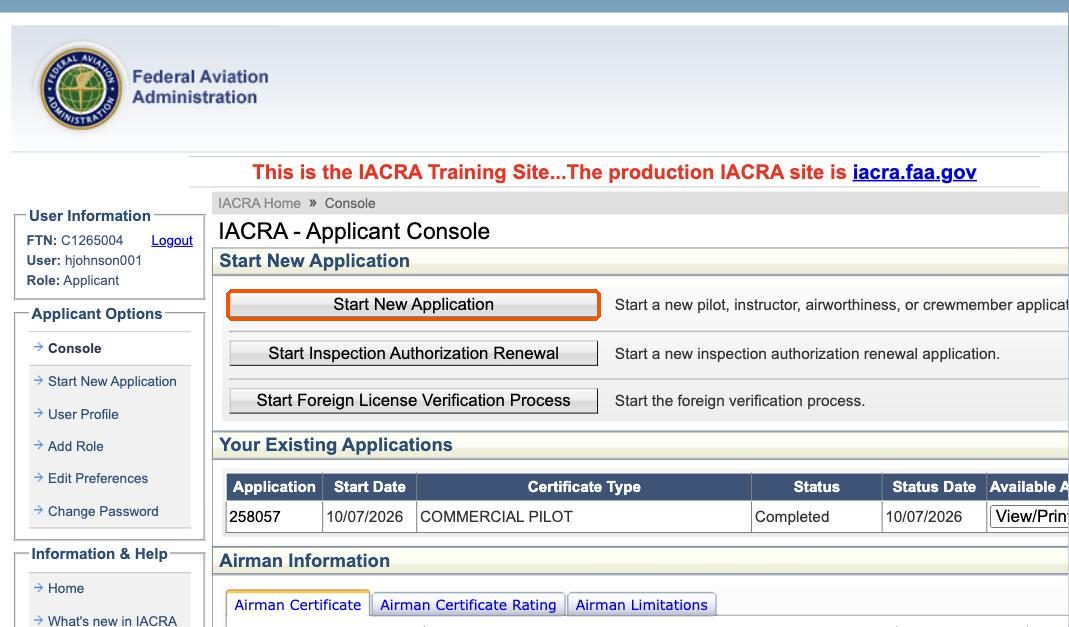
Step 1: Start a new application
Log in as an Applicant and click Start New Application on your console.
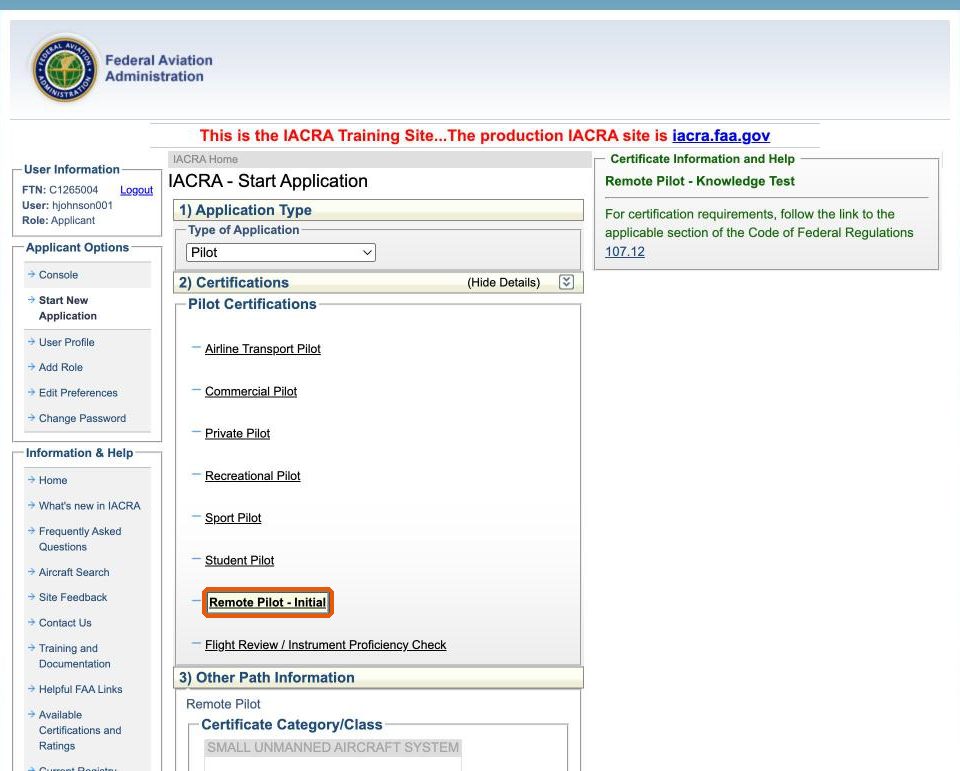
Step 2: Choose Remote Pilot – Initial
Under 1) Application Type, choose Pilot. In the list of pilot certifications, click Remote Pilot – Initial.
Step 3: Answer the flight review question
IACRA finds your pilot certificate on the FAA record and shows its number, grade and date of issuance. Below it, IACRA asks whether you have accomplished a flight review in accordance with 61.56.
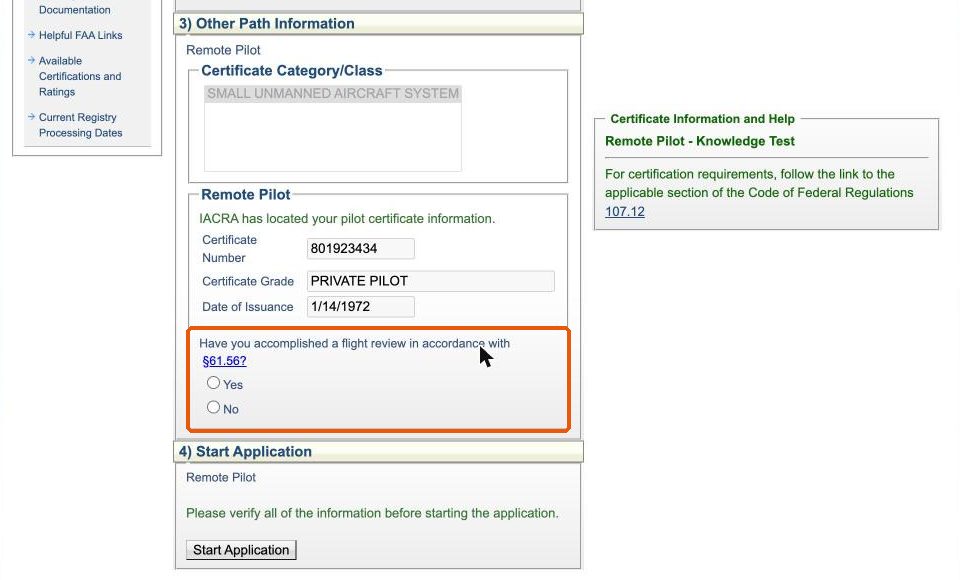
Select Yes, enter the date of your last flight review, then click Start Application.
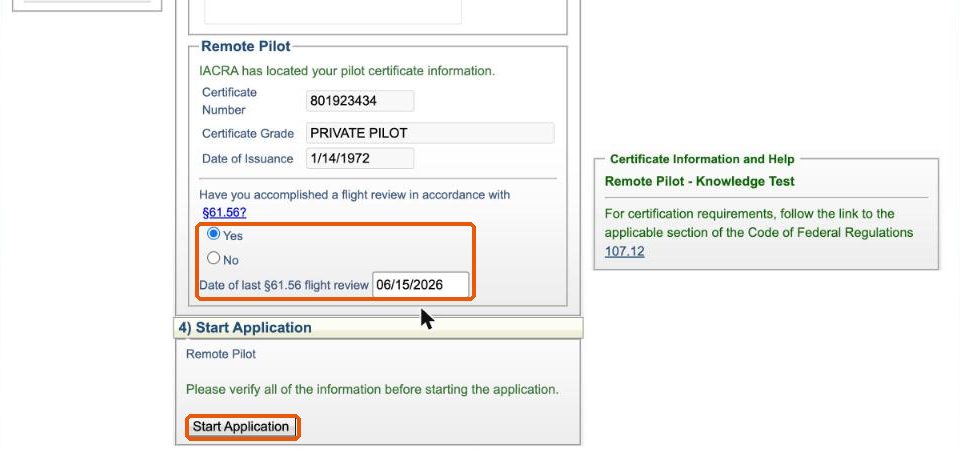
This answer sets your path. Answering Yes puts the application on the training course basis. If your flight review is not current, answer No; you will then apply on the basis of the knowledge test, the same as a non-pilot.
Step 4: Check your personal information
The application opens on one page with four sections. The header confirms what you are applying for: Remote Pilot – Training Course – Small Unmanned Aircraft System. The Application Status box on the right shows a check mark as each section is completed.
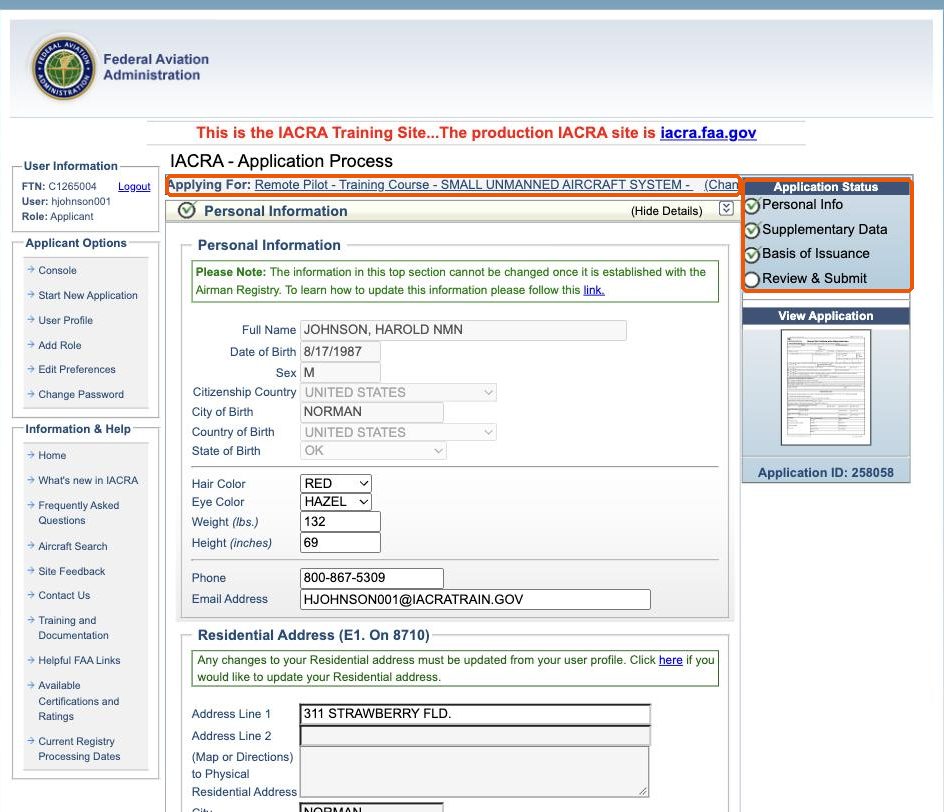
Personal Information is filled in from your user profile. The top section cannot be changed here once it is established with the Airman Registry. Check your hair and eye color, height, weight, phone and email, review your address, and click Save.
Step 5: Supplementary data
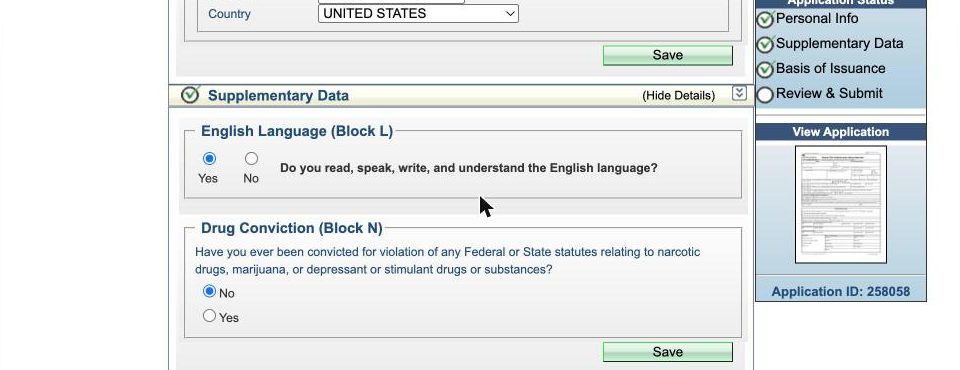
Answer the English language question and the drug conviction question, then click Save.
Step 6: Upload your training course certificate
In Basis of Issuance, Completion of Training Course (B) is already selected. Click Choose File, select your course certificate, then click Upload/Save. IACRA converts the document to black and white and lists it under Uploaded Documents. Click View to make sure it is readable.
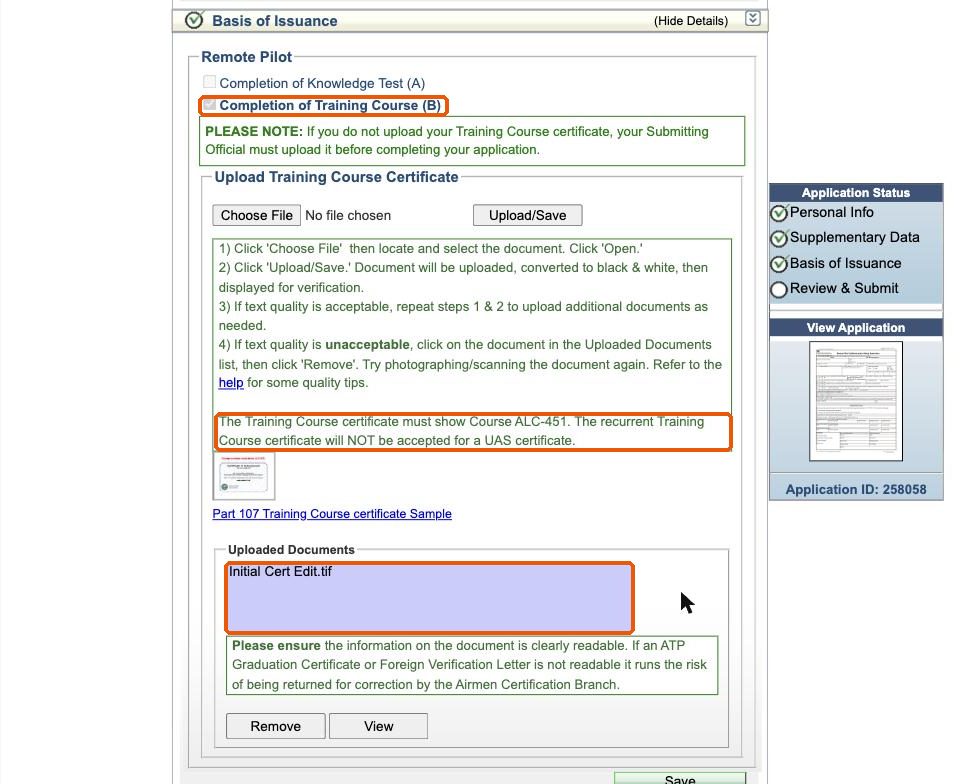
- The certificate must show Course ALC-451. The recurrent course certificate is not accepted for an initial remote pilot certificate.
- PDF, JPEG, TIFF and PNG files are accepted.
- If you do not upload it, the person who signs your application (your examiner or recommending instructor) must upload it before your application can be completed.
Step 7: Review and submit
In Review and Submit, answer whether you have ever been denied a remote pilot certificate and whether you have a physical or mental condition that would interfere with safe small UAS operation. Check the Certificate Summary: Remote Pilot, Small Unmanned Aircraft System.
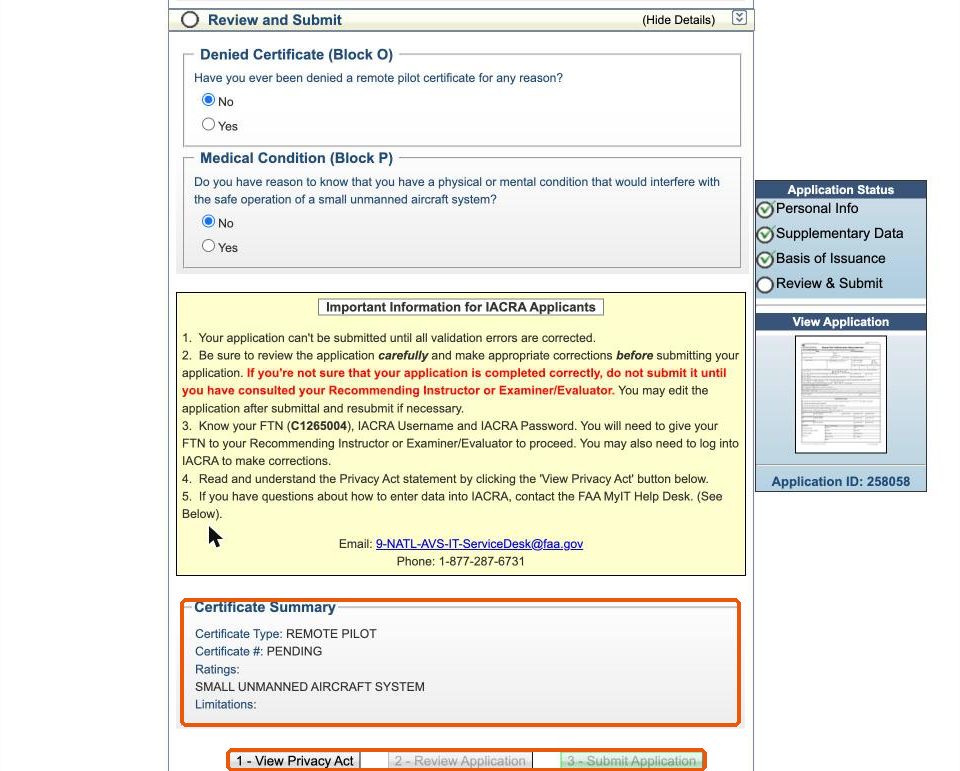
The three buttons unlock in order:
- View Privacy Act. Read the statement. Social Security number, phone and email are optional.
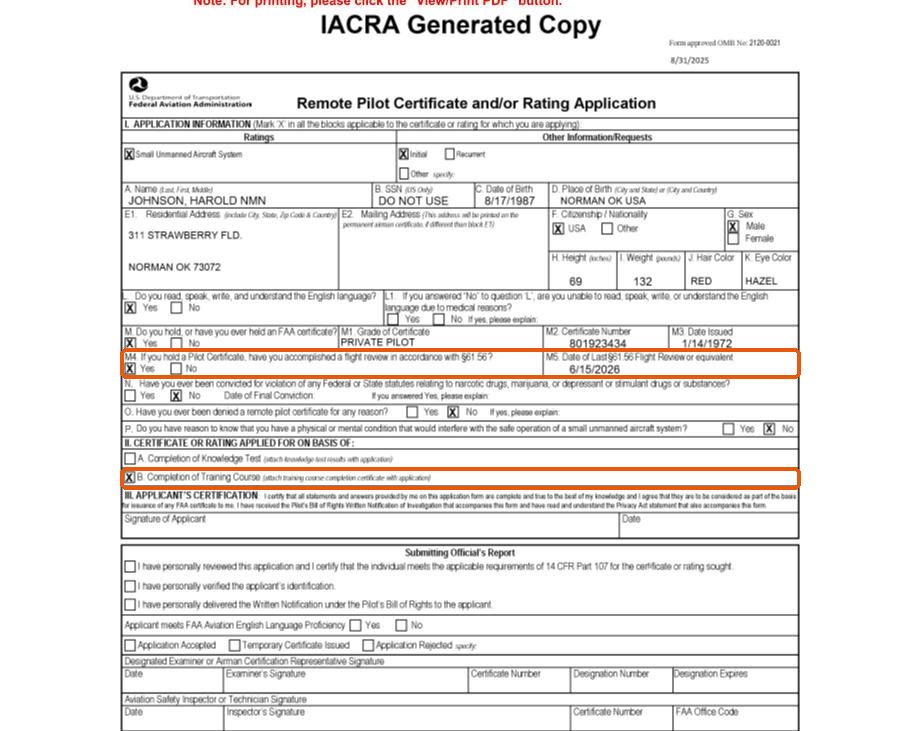
- Review Application. IACRA shows your FAA Form 8710-13. Check that the flight review date is shown and that basis B, Completion of Training Course, is marked.
- Submit Application.
Step 8: After you submit
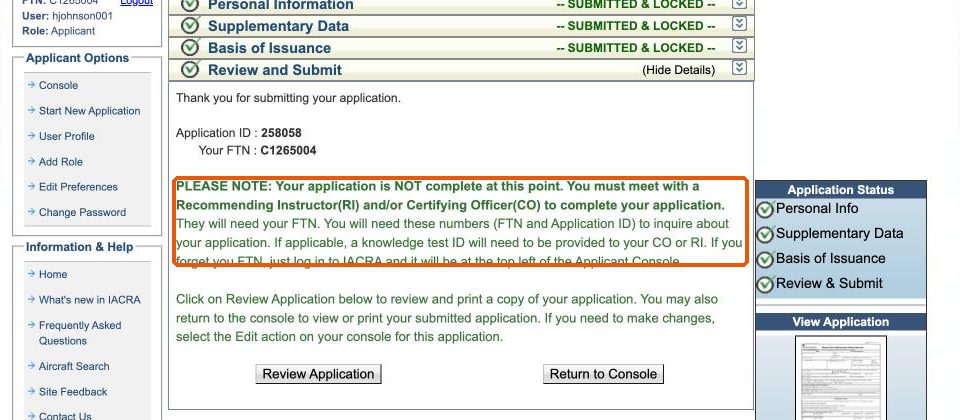
Each section shows Submitted & Locked. Your application is not complete yet: it still needs to be reviewed and signed by an examiner or recommending instructor, who will need your FTN.
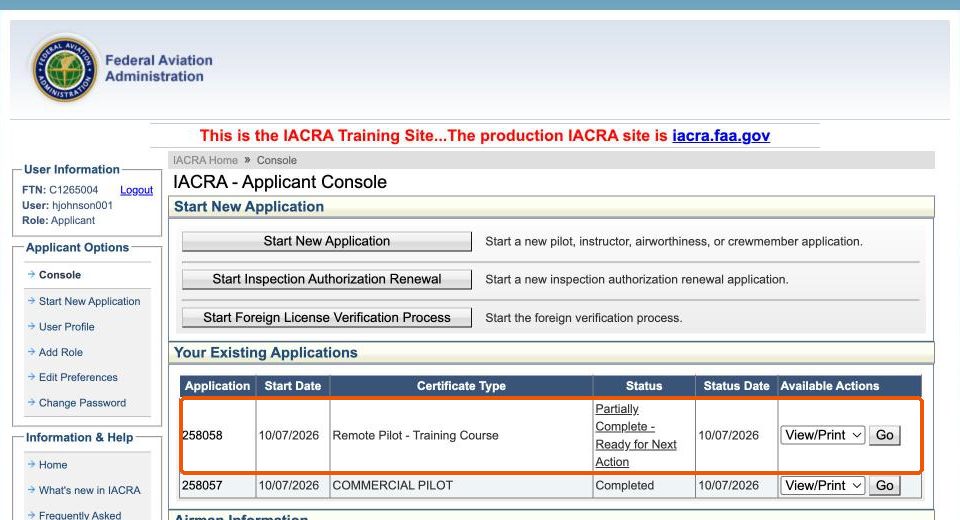
On your console, the application shows as Partially Complete – Ready for Next Action. You can still edit it from the console if something needs correcting.
At your ATACS appointment
Part 107 processing is done in person. Bring:
- Government-issued photo identification
- Your pilot certificate
- Your logbook showing the flight review
- Your ALC-451 course completion certificate
- Your FTN
The examiner verifies your identity, English proficiency, flight review and course certificate, and signs your application. You receive a temporary remote pilot certificate at the appointment; the permanent certificate is mailed by the FAA.